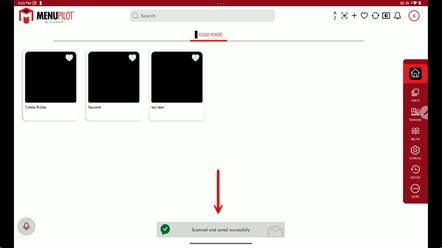
Scanning / Entering the Activation Code
Overview: This guide will show you the steps to enter/scan the Activation Code from your label roll into Menu Pilot. This will ensure you can print using the new roll of labels.
All new rolls should be scanned/entered prior to attempting to print.
- Open Menu Pilot
- You will see a Barcode icon at the top of the main screen – Click this icon
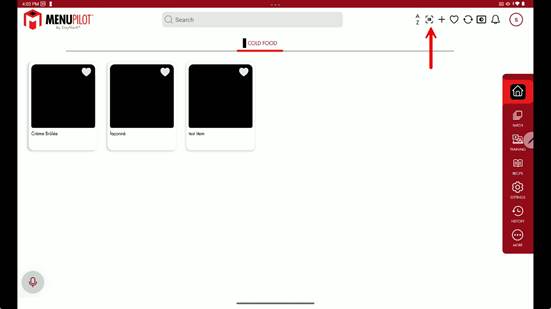
- A new window will open asking you to either ENTER the barcode number manually or SCAN it using the tablet camera
- You will see a Barcode icon at the top of the main screen – Click this icon
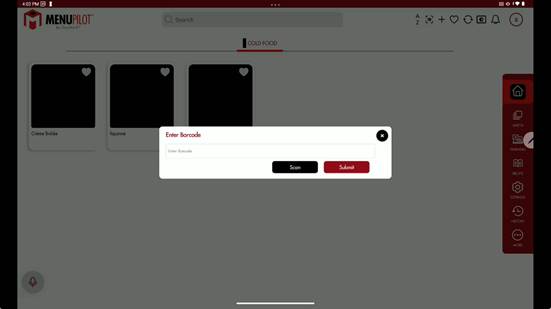
- If you choose to Enter the barcode number manually, you will type the 16-digit digit number into the field, then submit
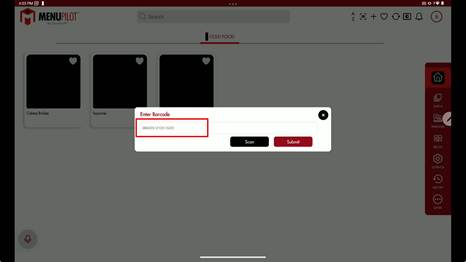
- If you choose to Scan the barcode:
- Click SCAN (as seen in the image above) and it will open your tablet camera.
- The Activation code is found on the side of the unopened roll.
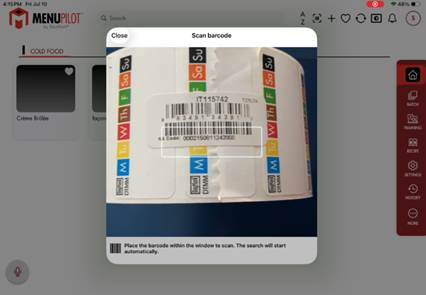
- Once scanned, the window will close.
- Once either of these is completed, you will get the following pop-up.