
Creating SHIFTS in MenuChex
This instruction will show you how to create a Shift in MenuChex to place your tasks in.
Log into MenuChex corporate account.
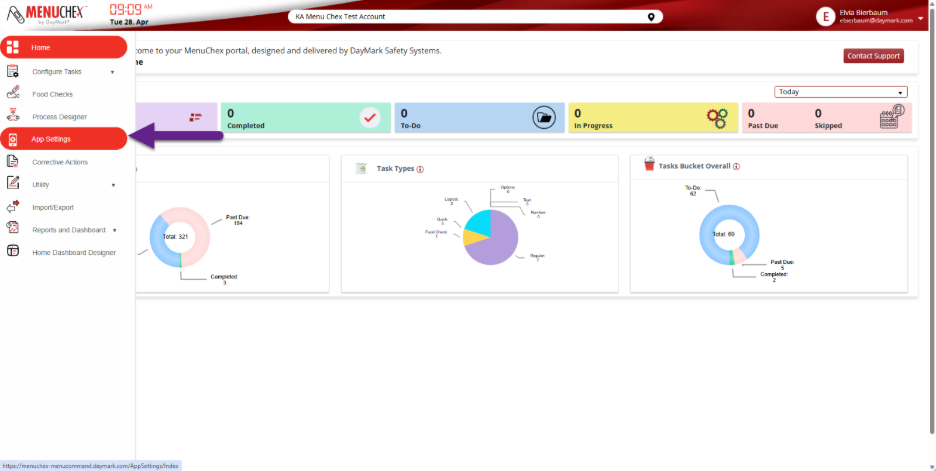
- In the left side panel, select APP SETTINGS
- In order for the SHIFT to appear at all locations, toggle ON the “Do You want to Enable Corporate Shifts?”
- Select +SHIFT
- This will open a new row to type in.
- Enter the following information:
- Shift Name – ex: Opening Shift, Closing Shift, etc
- Start Time
- End Time
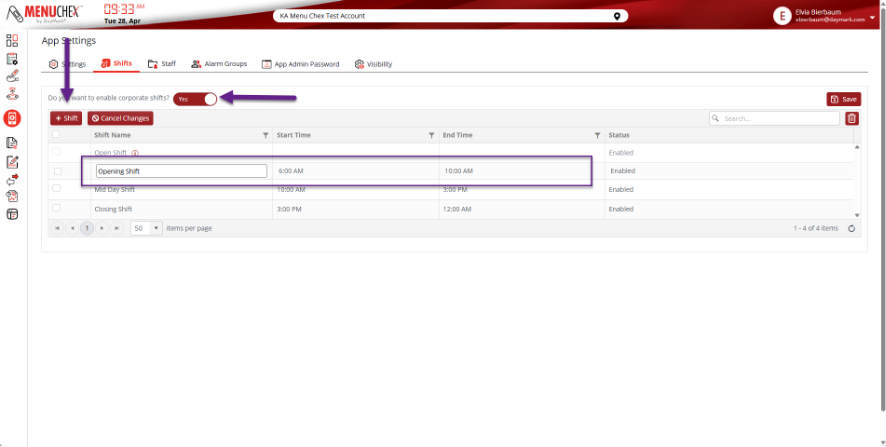
- When finished hit SAVE at the top right