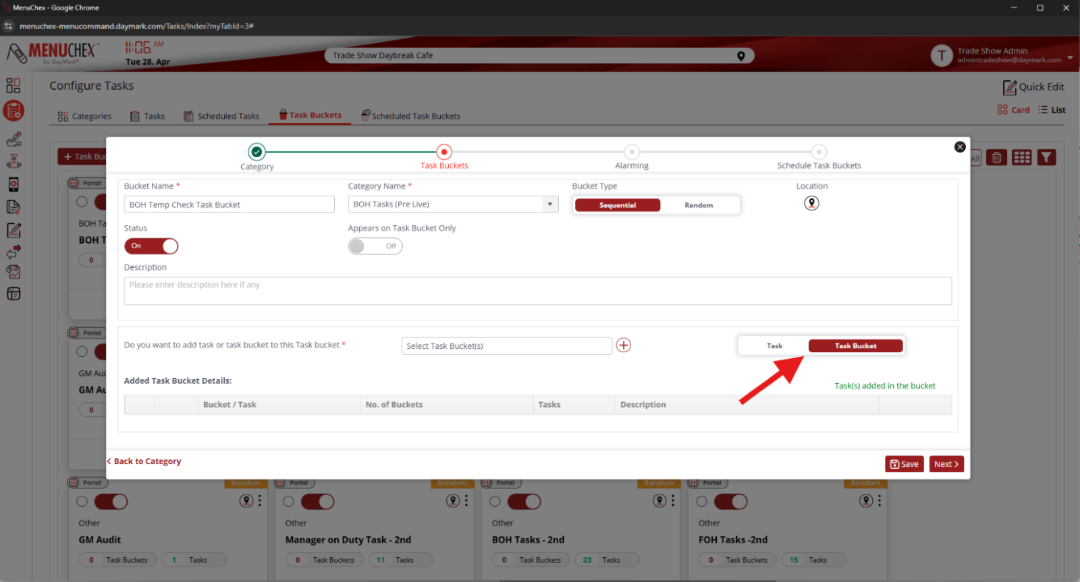
Adding a Task Bucket into a Task Bucket (Creating Child/Parent Task Bucket)
Clicking the switch on the right-hand side from “Task” to “Task Bucket” will show created Task Buckets in the drop-down menu now labeled “Select Task Bucket(s)”
Like selecting tasks, highlight the required “Child Task Buckets” you want to include and press the (+) to add them into the “Parent Task Bucket”