
- In the Left panel, click on Configure Tasks
- Click on Categories
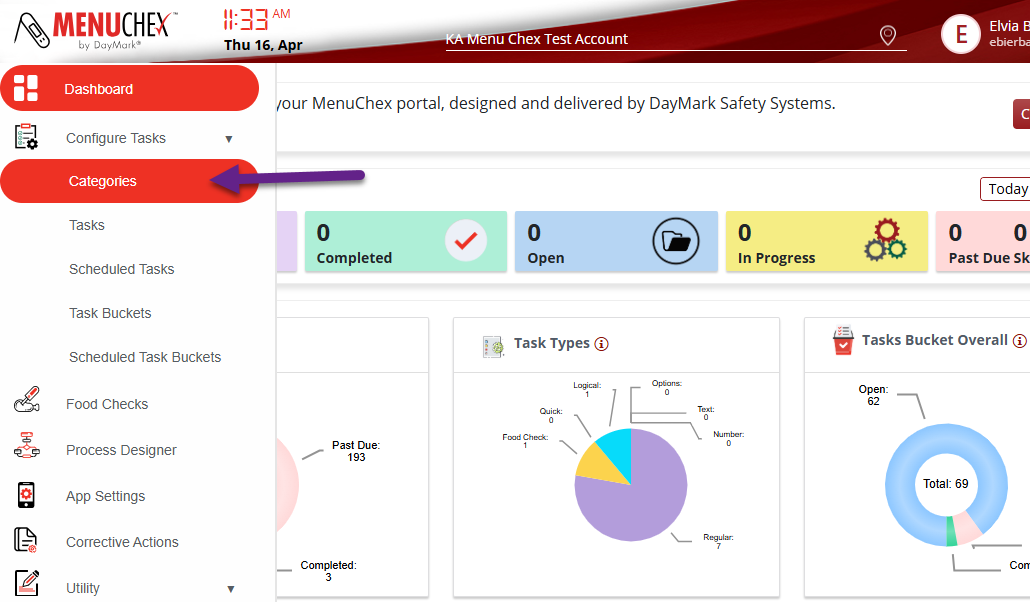
- Click on Categories
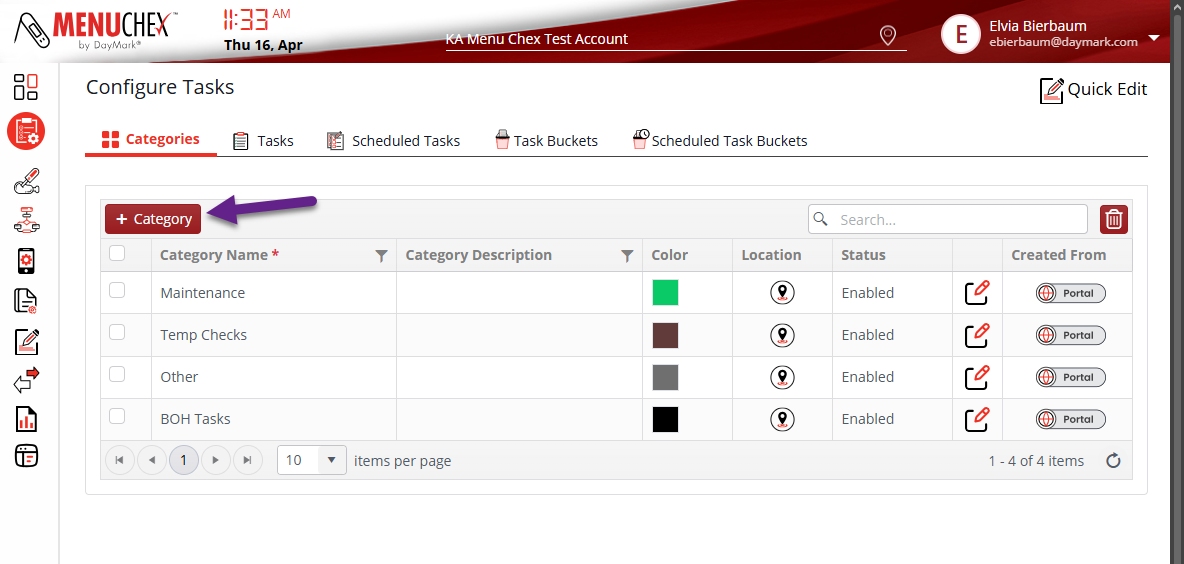
- Click on +Category
- Here you will type your Category Name and Description (as needed)
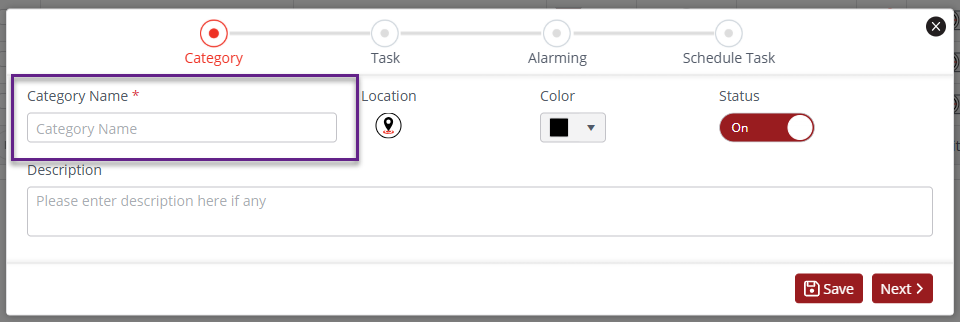
- Click SAVE
Creating Categories (General) Print
Modified on: Wed, May 13, 2026 at 11:51 AM
Did you find it helpful? Yes No
Send feedbackSorry we couldn't be helpful. Help us improve this article with your feedback.